

Recently we upgraded our website to HTTPS to improve your and our security (more info). Because of this a conflict between HTTP and HTTPS cookies occurred. This conflict prevents some users from logging in. Here is a small guide to fix this conflict.
Google Chrome
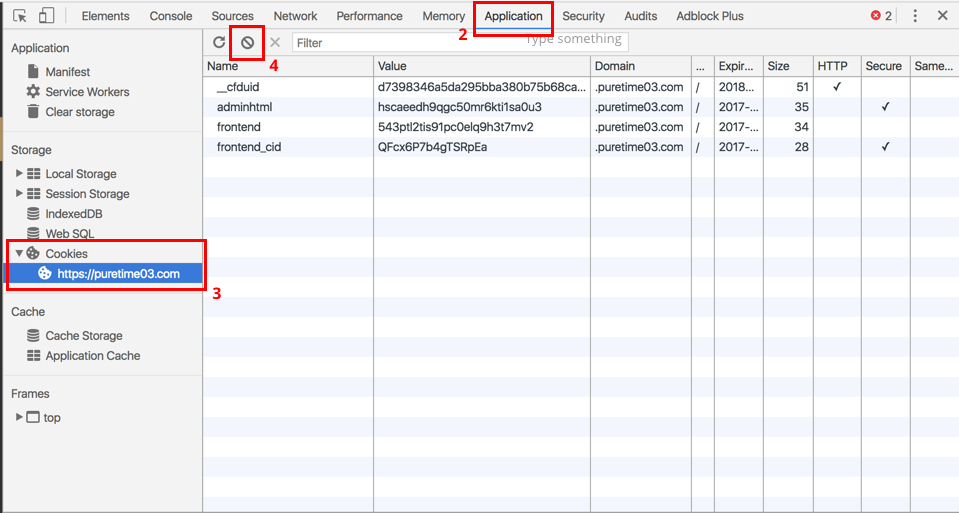
- Right mouse-click, and click on “Inspect”
- Click on “Application”
- Click on “Cookies”
- Click on “Clear All”
Apple Safari
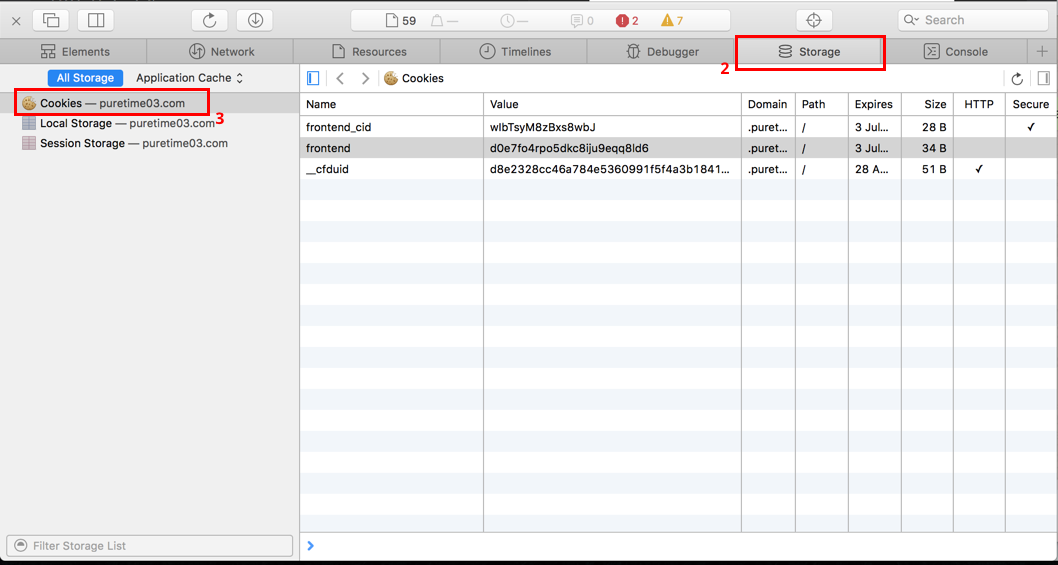
- Right mouse-click, and click on “Inspect”
- Click on “Storage”
- Click on “Cookies”
- Right mouse-click on each cookie and “Delete”
Mozilla Firefox
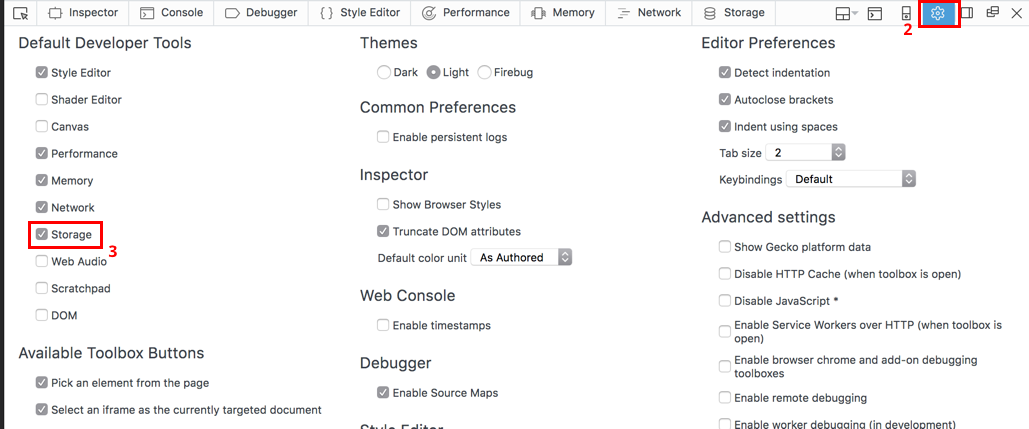
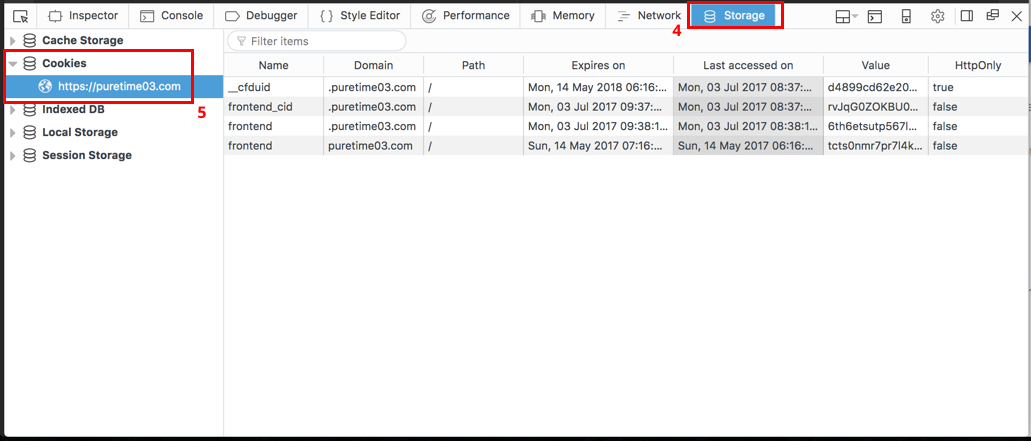
- Right mouse-click, and click on “Inspect Element”
- Click on the Cog icon
- Check the “Storage” option to reveal the Storage tab
- Click on the “Storage” tab
- Click on “Cookies”
- Right mouse-click on each cookie and “Delete”